
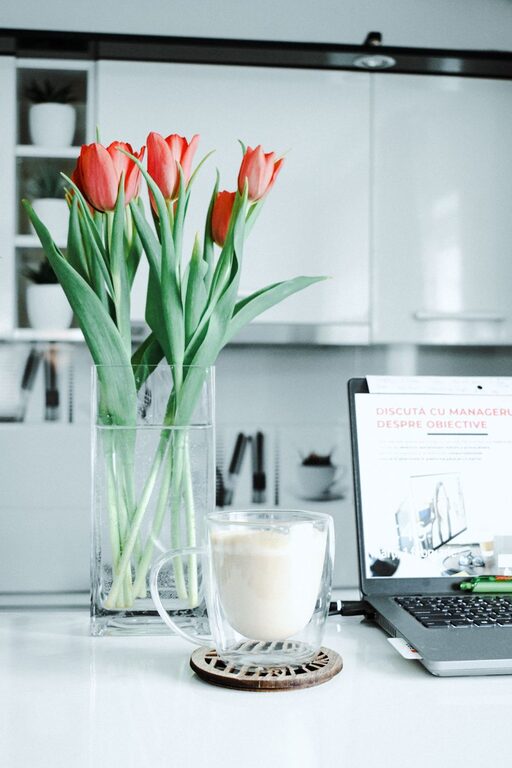
Creating a relaxing home workspace is essential for maintaining focus and boosting productivity, especially when working remotely. A well-designed area can reduce stress, prevent distractions, and make your workday more enjoyable. Whether you’re setting up a new space or improving an existing one, these tips will help you craft an environment that supports your best work.
Choose the Right Location
Selecting the right spot in your home is the first step toward a relaxing and productive workspace. Ideally, pick a quiet area with minimal foot traffic to help you concentrate. If possible, choose a space with natural light, as daylight can improve mood and energy levels.
Consider privacy and noise levels
If your home is busy or noisy, try to isolate your workspace by using a separate room or a corner shielded by room dividers. Noise-canceling headphones can also help reduce distractions.
Invest in Comfortable Furniture
Comfortable furniture is key to maintaining good posture and avoiding discomfort during long hours of work.
– Ergonomic chair: Choose a chair that supports your lower back and allows your feet to rest flat on the floor.
– Adjustable desk: If possible, opt for a desk with adjustable height to switch between sitting and standing.
– Proper desk size: Ensure your desk has enough space for your computer, documents, and any other tools you need.
Organize and Declutter
A cluttered workspace can increase stress and reduce your ability to focus.
– Use storage solutions like shelves, bins, or drawer organizers to keep supplies neatly tucked away.
– Only keep essential items on your desk to maintain a clean surface.
– Regularly tidy your area at the end of each day to start fresh the next morning.
Personalize Your Space
Adding personal touches can make your workspace inviting and boost your motivation.
– Display a few photos or artwork that inspire you.
– Add a small plant to bring nature indoors; greenery can improve mood and air quality.
– Choose colors that you find calming, such as soft blues or greens, for walls or accessories.
Optimize Lighting
Lighting affects both your comfort and alertness.
– Position your desk near a window to take advantage of natural light.
– Use adjustable lamps to reduce eye strain when working after dark.
– Avoid harsh overhead lights or glare on computer screens by using diffusers or repositioning your setup.
Minimize Digital Distractions
Technology can be both a help and a hindrance while working at home.
– Use apps that block distracting websites during work periods.
– Turn off non-essential notifications on your phone and computer.
– Keep your workspace dedicated to work only; try not to mix leisure activities like watching TV or scrolling social media here.
Incorporate Break Areas
Even in small spaces, plan somewhere nearby to step away from your desk for a short break.
– Use a comfortable chair or cushion where you can relax for a few minutes.
– Consider adding calming elements like aromatherapy or soft music to encourage mental rest.
– Regular breaks help recharge your focus and prevent burnout.
Maintain Good Air Quality
Fresh air and ventilation support your health and concentration.
– Open windows regularly to let in fresh air.
– Use air-purifying plants or air filters if your space lacks ventilation.
– Avoid positioning your workspace near strong odors or pollutants.
Set Clear Boundaries
Separating work life from home life is key to relaxation and productivity.
– Establish consistent work hours and communicate them with others in your household.
– Use physical cues, like closing the door or signals, to indicate when you are working.
– Avoid working in bed or other places associated with rest to maintain mental boundaries.
—
By thoughtfully creating a relaxing home workspace, you set the stage for better focus, creativity, and work satisfaction. Small adjustments to location, furniture, lighting, and organization can bring meaningful improvements that enhance your productivity and well-being. Take the time to design a space where you feel comfortable, inspired, and ready to tackle your tasks each day.