
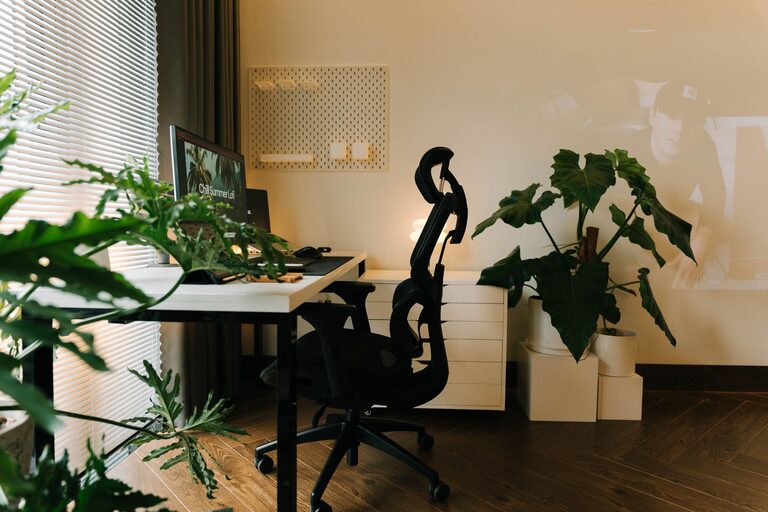
Creating an efficient home office space is essential for anyone working remotely or managing tasks from home. A well-designed workspace can boost your productivity, keep you motivated, and improve your overall comfort during long work hours. Whether you have a dedicated room or a small corner, optimizing your home office setup is achievable with thoughtful planning. Here are some practical tips to help you create a home office space that supports your work and well-being.
1. Choose the Right Location
Consider Natural Light
Natural light can improve mood and reduce eye strain. Select a space near a window, if possible, to maximize daylight. Position your desk so that the light comes from the side rather than directly in front or behind your screen, preventing glare.
Minimize Distractions
Find a quiet area where noise and interruptions are minimal. If that’s challenging, consider using noise-canceling headphones or soundproofing options like rugs and heavy curtains.
2. Invest in Quality Furniture
Ergonomic Chair
Comfort is key to maintaining focus. Invest in an ergonomic chair that supports your back and promotes good posture, reducing the risk of discomfort or injury.
Functional Desk
Choose a desk that fits your space and provides enough surface area for your computer, accessories, and any paperwork. Adjustable desks, including standing desks, offer flexibility and promote movement.
3. Organize Your Workspace Efficiently
Declutter Regularly
A clutter-free desk helps minimize distractions. Keep only essential items within reach and store the rest in drawers or shelves.
Use Storage Solutions
Utilize filing cabinets, bins, or shelves to keep documents and supplies organized. Label containers for easy access and maintain order.
Cable Management
Tidy up cables with clips, sleeves, or cable boxes to prevent tangled wires that can create a messy look and potential hazards.
4. Prioritize Good Lighting
Task Lighting
In addition to natural light, incorporate adjustable task lighting such as desk lamps that provide focused illumination for detailed work.
Ambient Lighting
Choose soft, evenly distributed lighting to reduce eye strain throughout your workspace. Avoid harsh fluorescent lights.
5. Personalize Your Space Wisely
Add Some Greenery
Indoor plants not only improve air quality but also add a calming, refreshing touch to your office.
Decorate Thoughtfully
Use artwork or inspirational quotes to create a motivating environment, but avoid over-decorating to keep the space professional and distraction-free.
6. Equip Your Office with Essential Technology
Reliable Internet Connection
A stable, high-speed internet connection is critical for seamless communication and productivity.
Necessary Devices
Ensure you have all necessary devices, such as a computer, printer, scanner, or headphones, to complete your work efficiently.
Backup Plan
Have backups like a power strip and external hard drive to prevent interruptions caused by power outages or system failures.
7. Plan Your Workflow Areas
Separate Work Zones
If space allows, create different zones for various tasks—for example, a computer area, a writing area, and a storage area. This helps keep your work organized and encourages focused task completion.
Keep Frequently Used Items Handy
Place items you use often, such as notebooks, pens, or chargers, within easy reach to reduce interruptions.
8. Maintain a Healthy Work Environment
Temperature Control
Maintain a comfortable room temperature and use fans or heaters as needed to create a pleasant working environment.
Air Quality
Ensure proper ventilation. Consider air purifiers if necessary to keep the air fresh and healthy.
Take Breaks and Move
Design your space so you can easily stand up and stretch or take short walks. Movement during breaks improves circulation and reduces fatigue.
—
Creating an efficient home office is about balancing productivity and comfort. With attention to location, furniture, organization, lighting, and personal touches, you can set up a workspace that makes working from home enjoyable and effective. Start with small changes and gradually adjust your setup for the best results. Your ideal home office awaits!